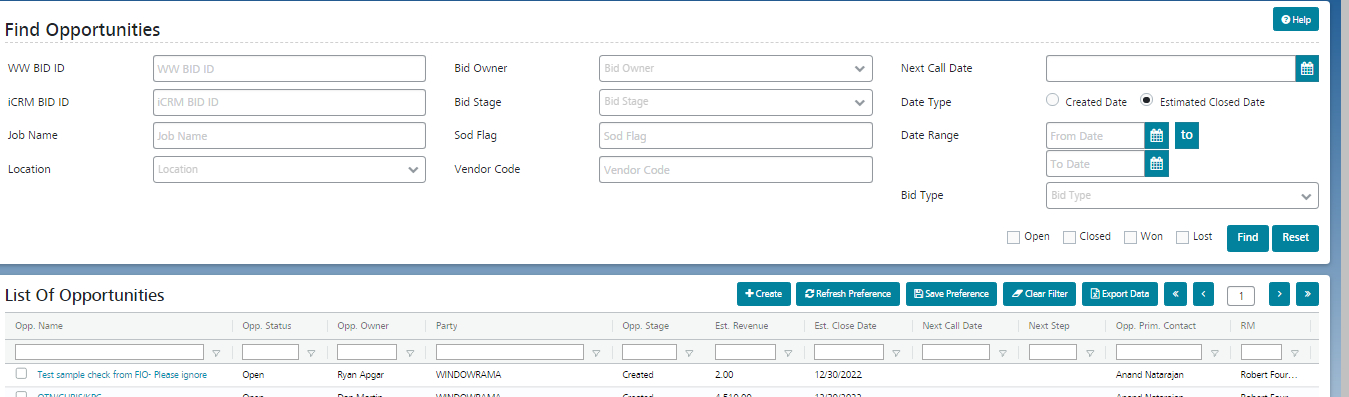
Find Opportunity Find Opportunity Find an existing opportunity using search filters. Click on the ‘Opportunity’ menu. Click on ‘Find Opportunity’. The user can search for required Opportunity records using the search filters on the top. There are search filters where you can input search parameters as well as inbuilt Opportunity Status or Stage filters (checkboxes). Inbuilt Filters: Open – Filters for Opportunities with an Opportunity Status of Open Closed – Filters for Opportunities with an Opportunity Status of Closed Won – Filters for Opportunities with an Opportunity Stage of Won. Lost – Filters for Opportunities with an Opportunity Stage of Lost. Related Resources Service Request Opportunities Accounts Customer Contacts