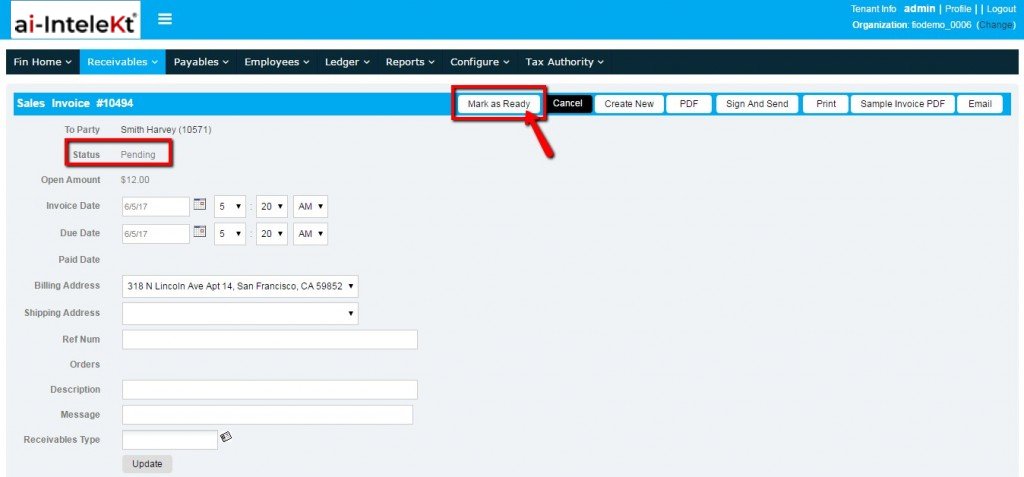


When an invoice is created manually for sales or vendor, it will be in pending status, at that time it will not be posted in GL account. Once if you mark it has ready for posting, it will be posted in GL account.
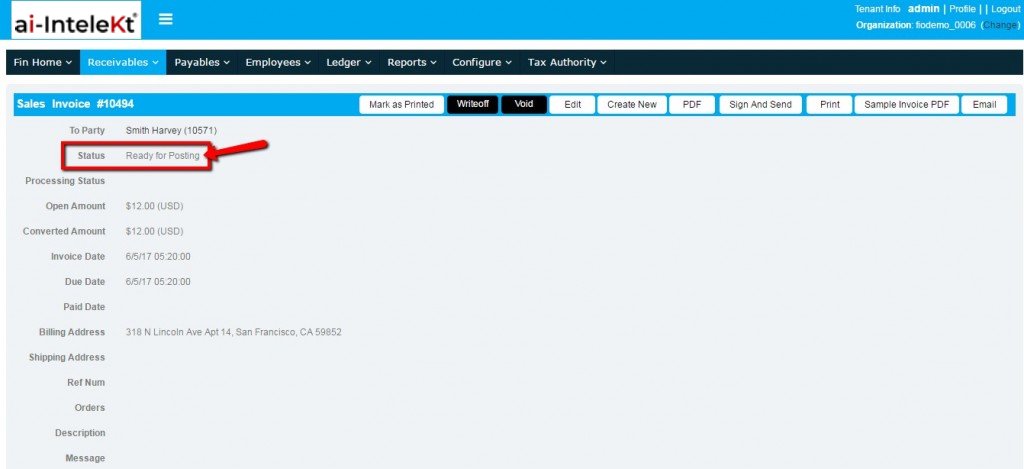
Select “Mark as Ready” button in invoice page, the invoice status changes to ‘Ready for Posting’.
Once the invoice is ready for posting, this invoice will be posted in GL Account.
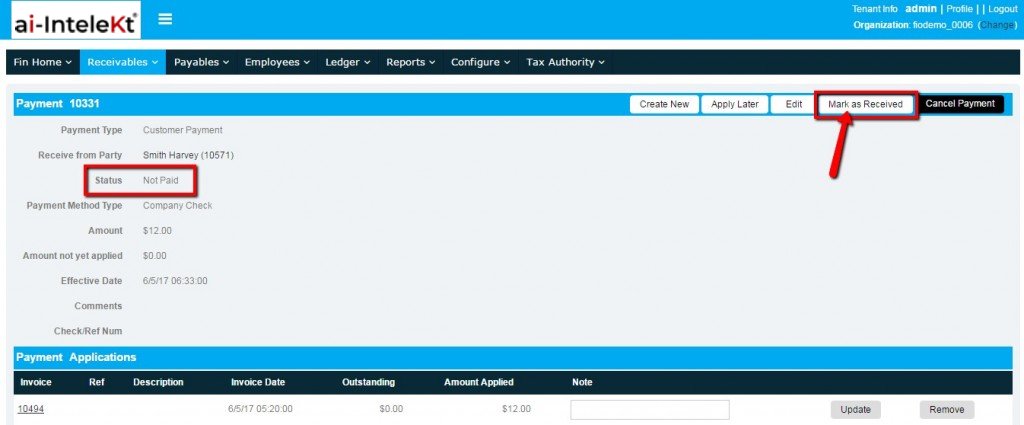
For example, consider that a payment is created for the customer to receive a payment from him for the invoice generated.
That payment status will be ‘Not Paid, at that time it will not be posted in the GL account. Once you received the amount, you need select “Mark as Received” button in Payment page.
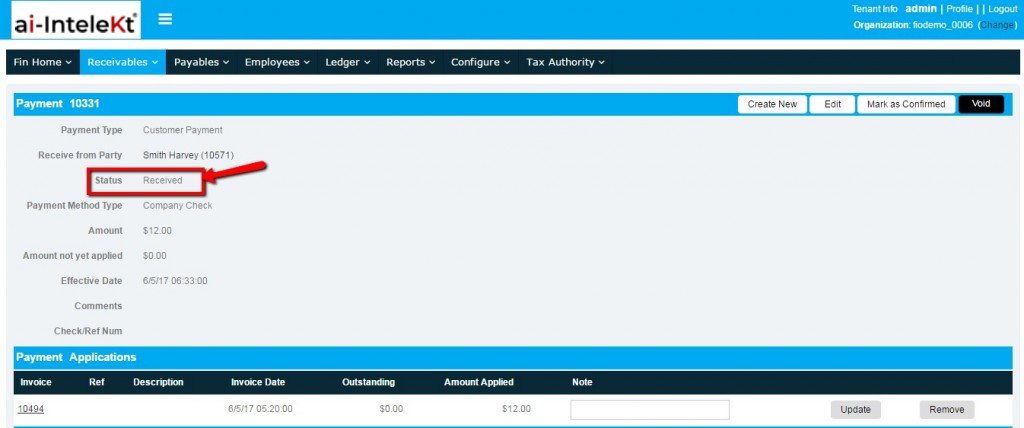
The status changes to “Received”. Now this payment will be posted in the GL account.
Note: Vendor payment will be similar as Customer payment.
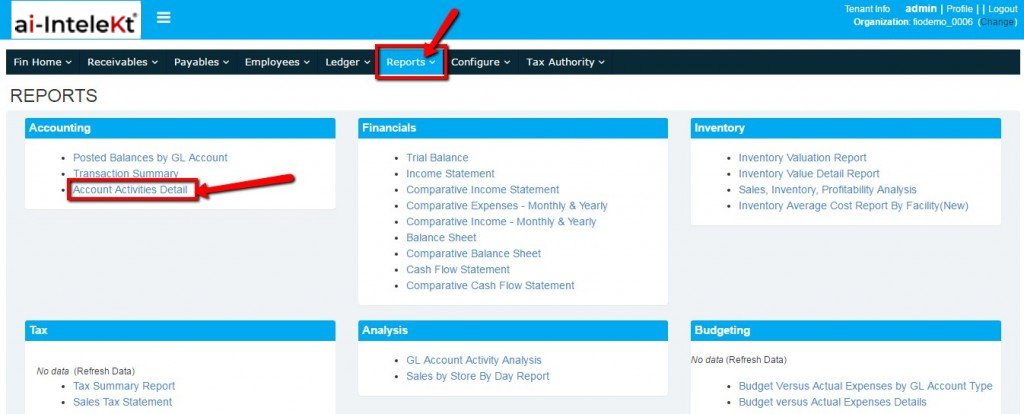
To view the GL Account posting, navigate to ‘Financials’ module and select “Reports” tab. In Reports page, select “Account Activities Detail”.
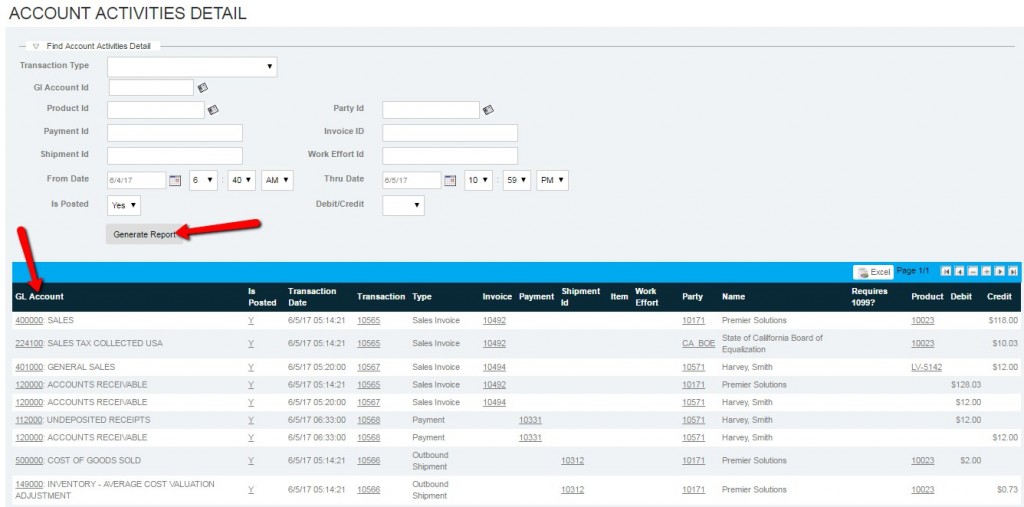
In Account Activities details page, select the date range and select ‘Generate Report’ button.
Here you can view the list of GL Account posting for invoice and payment.