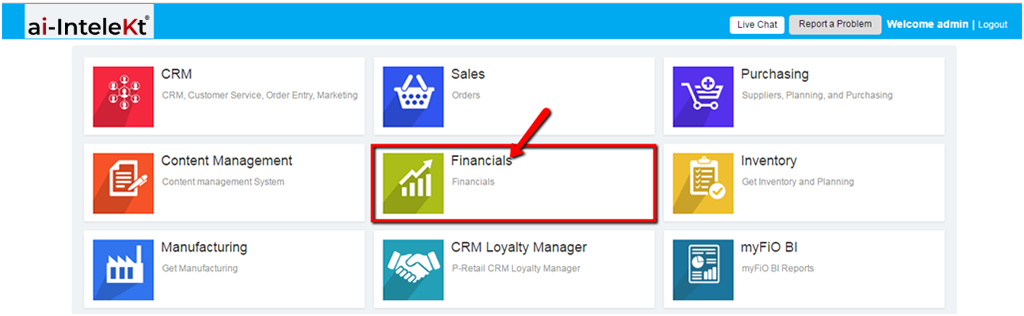


1. Click the “FINANCIALS MODULE” icon.
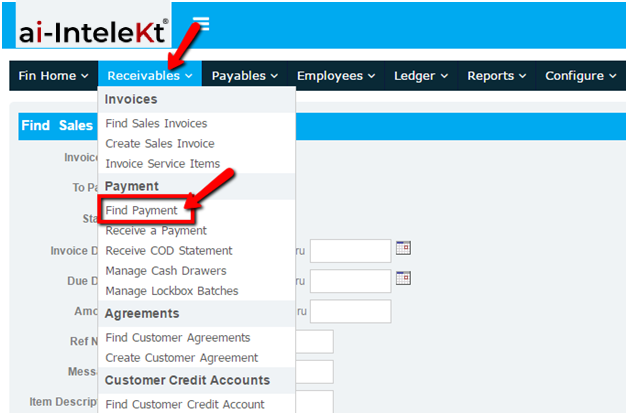
2. Click the “RECEIVABLES” button located at the top navigation bar.
3. Click on “Find Payment” button found at the left side bar.
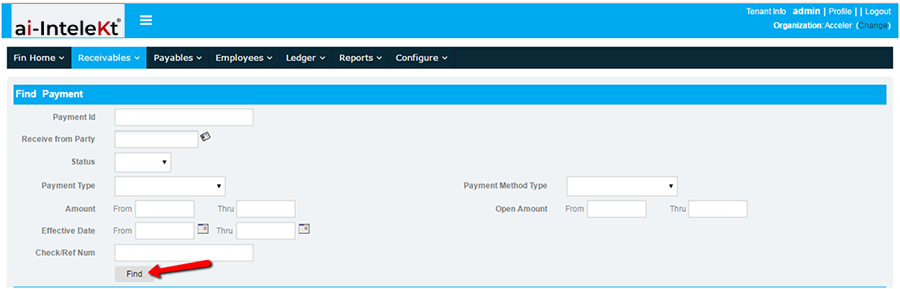
4. You will be redirected to this page. List of Payment Entries is displayed below the Search Form. If you want to narrow down the list, provide necessary information, and click the “FIND” button.
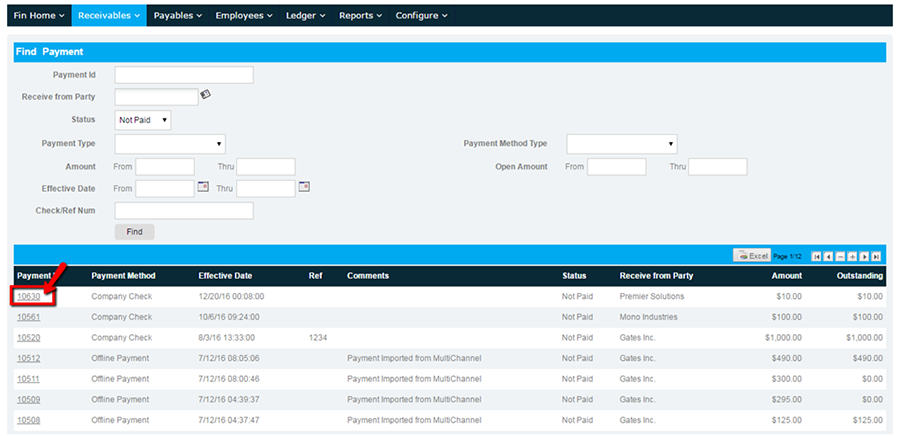
5. Click on the Payment ID No., found at the left side, to view the Payment Details.
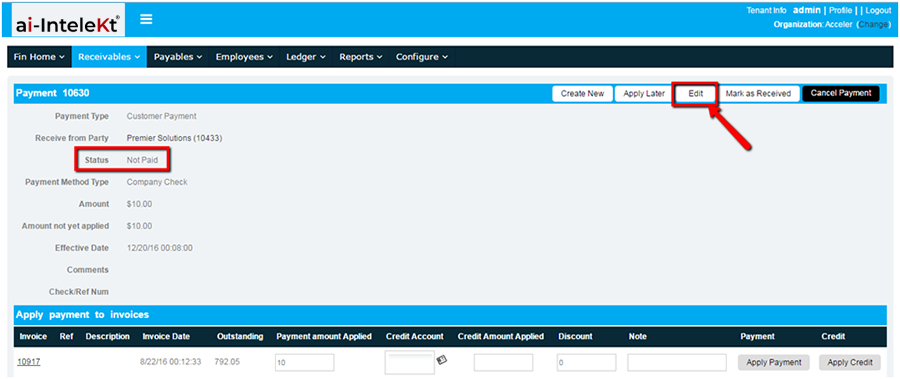
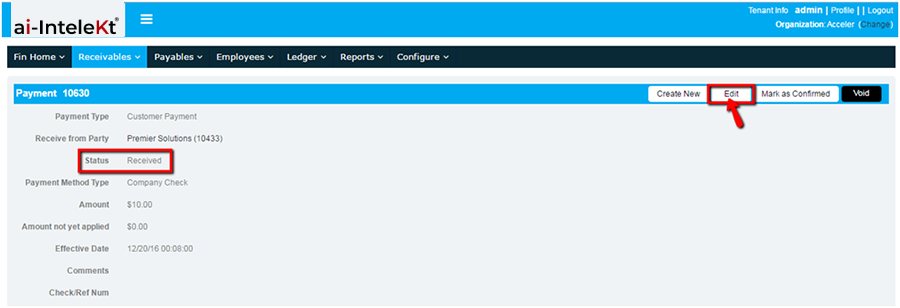
A. If the Payment Status is “NOT PAID” or “RECEIVED”, you may edit the details by clicking the “EDIT” button found on the top right of the Payment Section.
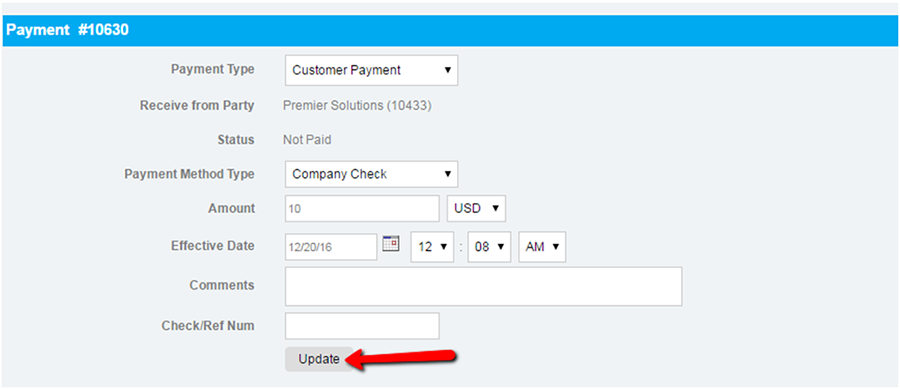
You will be redirected to this page. Update all necessary details, and click update.
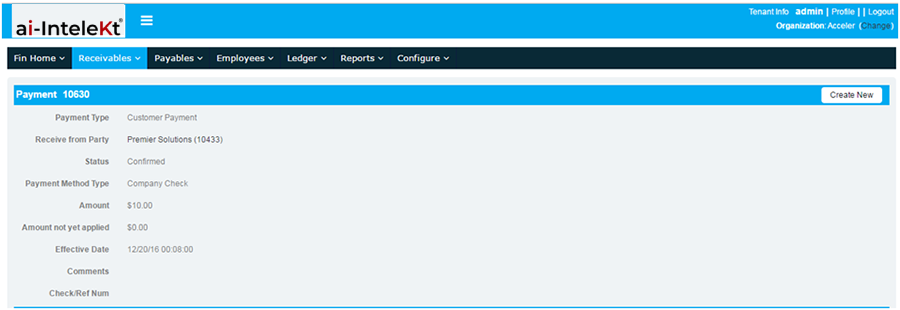
B. If the Payment Status is “CONFIRMED”, you can no longer edit any of the Payment Details.