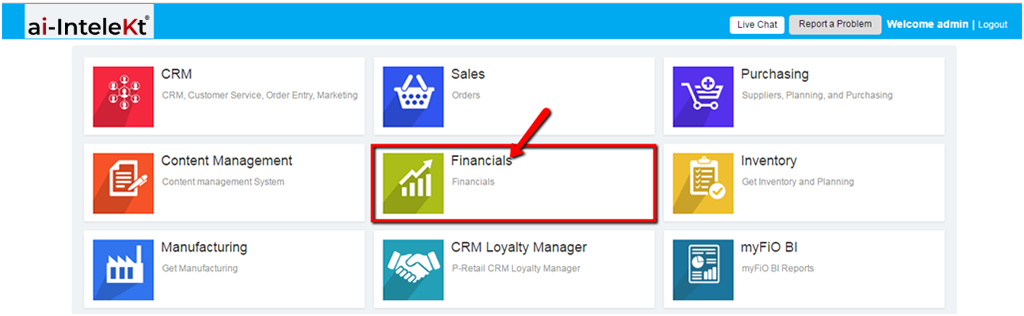



1. Click the “FINANCIALS MODULE” icon.
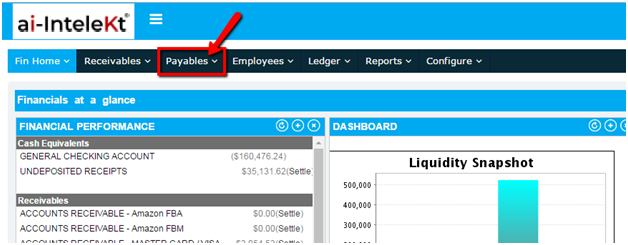
2. Click the “PAYABLES” button located at the top navigation bar.
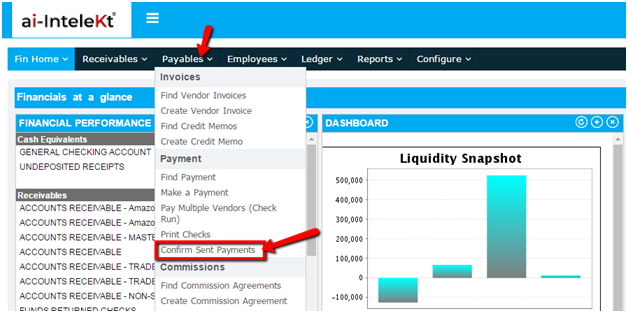
3. Click on “CONFIRM SENT PAYMENT” button found at the left side bar.
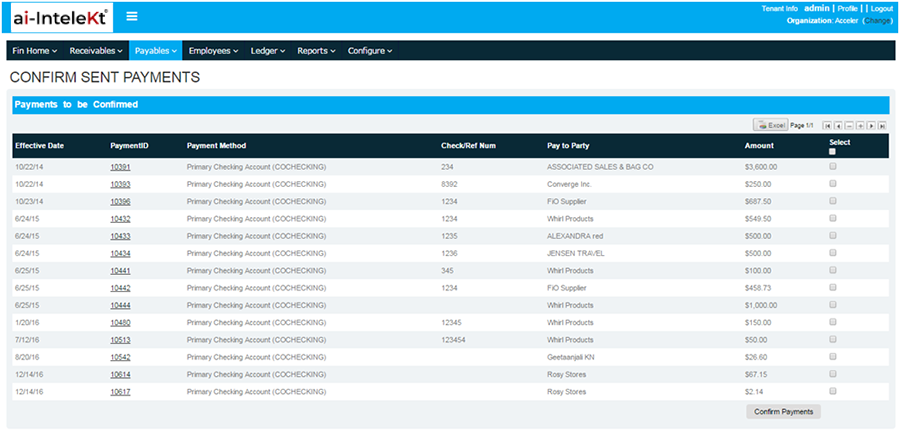
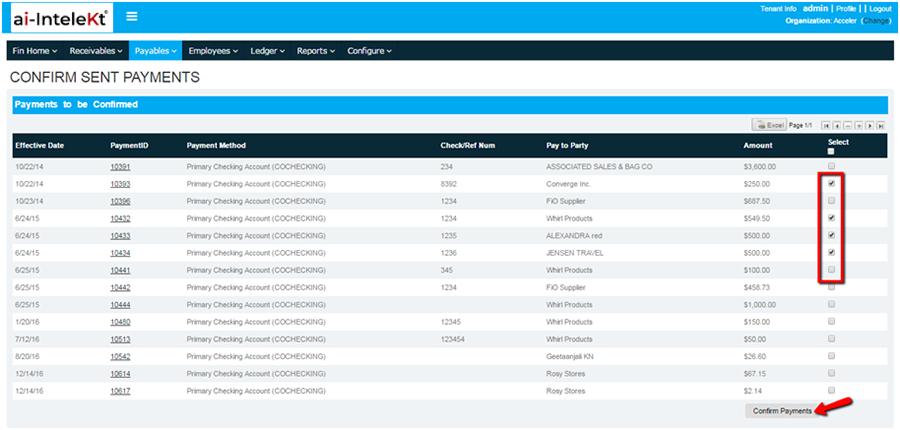
4. You will be directed to this page. All SENT PAYMENTS waiting to be confirmed are displayed.
5. To select an item, click the box found at the far right corner of the payment item, and click “CONFIRM PAYMENTS”.
6. Once you clicked “CONFIRM PAYMENTS”, the page will be reloaded. Notice that your confirmed item(s) are no longer included in the list.