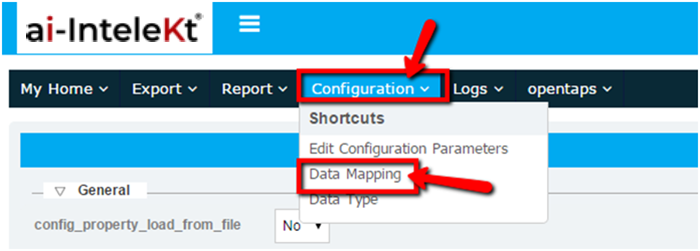
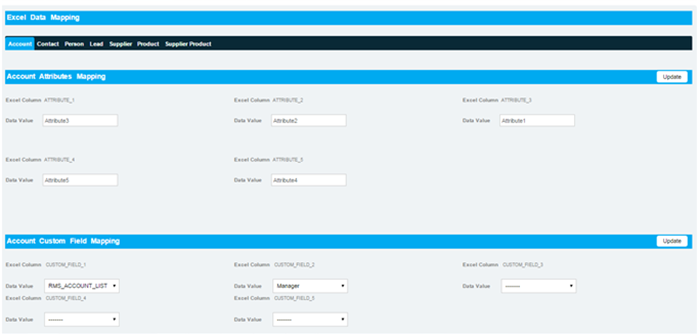


Select the data migration module > Configuration. In configuration home page select the data mapping.
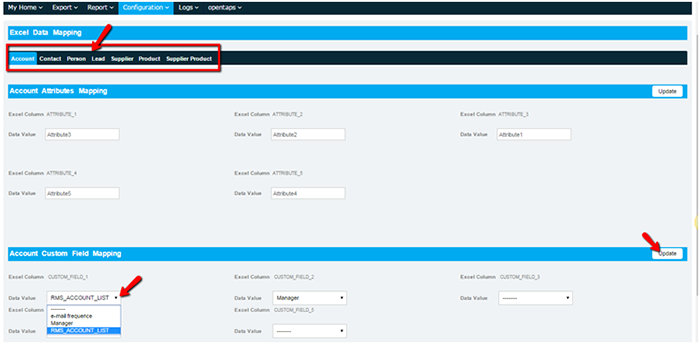
The user can configure the attributes and custom fields for Leads, account, Product , Contact and person.
The data added in CRM > configuration > custom fields screen will be displayed in the drop down .
Select the drop down value in account custom field mapping and click on update button. Then the Customer field will be mapped to the data migration. Maximum of 5 custom fields can be mapped to data migration module
The same process can be followed to map the contact , person , lead and product
The values entered in the excel sheet will be saved in to the application only if data mapping has been successfully done.