Contacts to Multiple Accounts
People often work with more than one company. A business owner might own more than one company or a consultant might work on behalf of multiple organizations. Relate a single Contact to multiple Accounts so you can easily track the relationships between people and businesses without creating duplicate records.
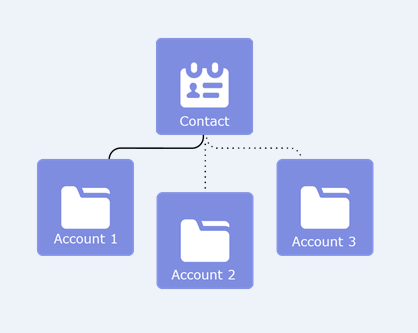
When you use Contacts to Multiple Accounts, each Contact still requires a primary Account (the Account in the Account Name field). The Contact and its primary Account have a direct relationship. But you can add other Accounts to the Contact. These secondary Account-Contact relationships are indirect.
Contacts to Multiple Accounts works with person Accounts. That means a person Account can be either a related Contact on a business Account or a related Account on a Contact. A person Account can also be related to another person Account as either a related Contact or related Account. When you relate a person Account to an Account or Contact, the relationship is always indirect. That’s because person Accounts don’t have primary Accounts, so person Accounts can’t be directly related to business Accounts. And person Accounts can’t be primary Accounts for Contacts, so person Accounts can’t be directly related to Contacts.