Manage Leads – View Accounts
Action Bar
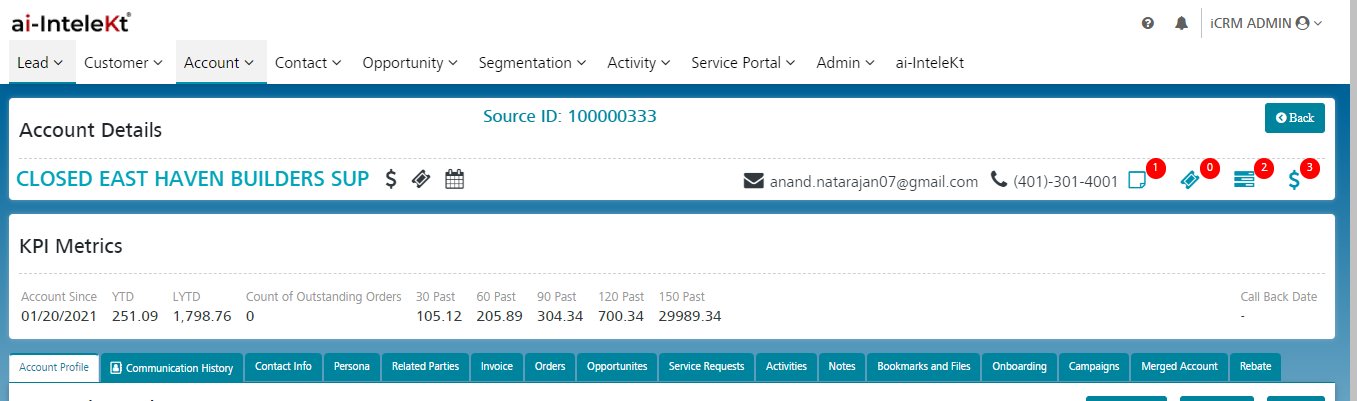
In the View Account screen, we have the top first section as a Action bar. In the action bar we have a quick set of icons and menus to navigate to other function. Please refer the below screenshot for the details
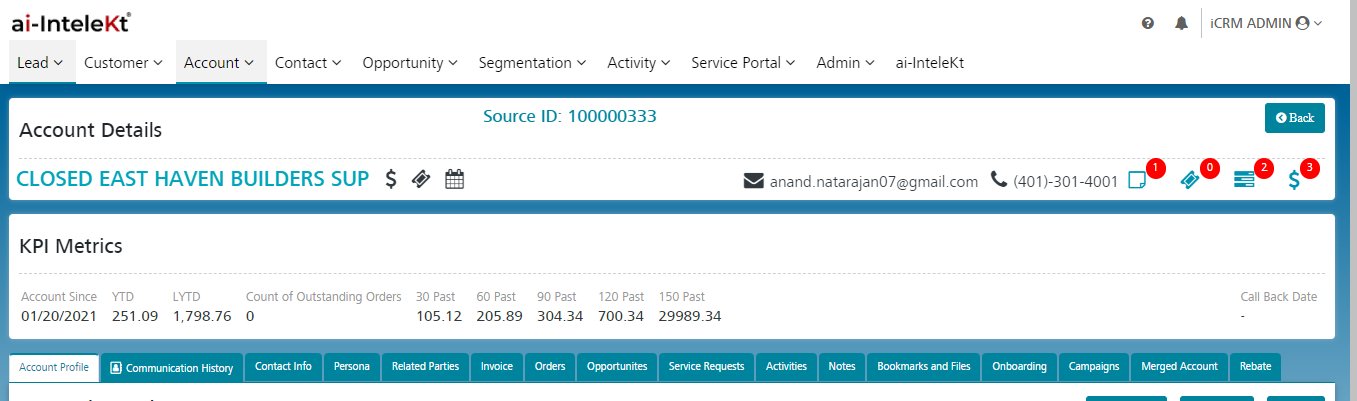
In the action bar the left section contains below information
- Account Name
- Icon to Navigate to Create Opportunity Page
- Icon to Navigate to Add Service Request Page
- Icon to Navigate to Add Activity Page
In the action bar the Right section contains below information
- Primary contact Email address – If click on email address then page will navigate to the Email activity creation Page.
- Primary Contact Phone Number – If click on Phone number then page will navigate to the Phone activity creation Page.
- Important Note Badge icon – In this badge will display the counts of important notes counts which are associated with the Account.
- Open Service Request Count Icon – In the badge icon will display the counts of open service request which is associated with the Account.
- Open Activity Count Icon – In the badge the icon will display the counts of open activity which is associated with the Account.
- Open Opportunity Count Icon – In the badge icon will display the counts of open opportunity which is associated with the Account.